Audio
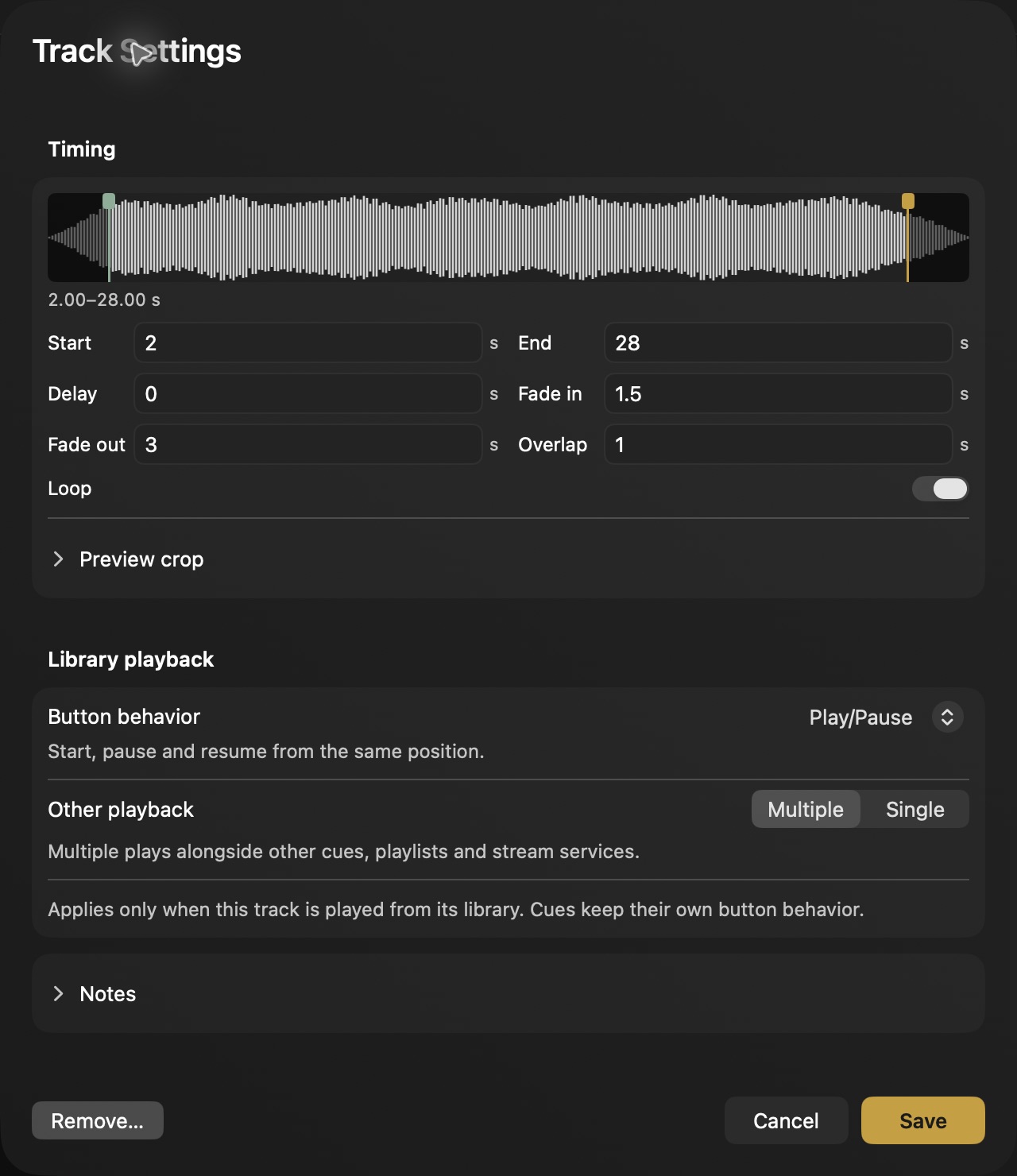
Play audio clips with the start and end points, volume, fades, and loops you choose.
 Cuepact
Cuepact for Mac · In development
Prepare your program. Connect its elements and control them from one Mac app.
Start with a few cues. Expand later.
For beginners and pros.
One cue.
Multiple actions.
Decide in advance what starts together.
From preparation to live control
A cue can contain a single action or connect several elements. Build your run of show in the order of your program.
Gather your audio, videos, images, and text. Give each item a name you will recognize at a glance when running your program.
Link the actions that belong together. For example, start a countdown at the same time as your video. Set volume, transitions, and start times in advance.
Check your outputs and test the sequence. Trigger items yourself, or choose where the next cue should follow automatically.
Cuepact for Mac
Audio, visuals, timing, and control in one Mac app. Choose the features that suit your program.
Play audio clips with the start and end points, volume, fades, and loops you choose.
Group audio into playlists, or create visual sequences with their own order and transitions.
Show videos, images, and selected live cameras in your program.
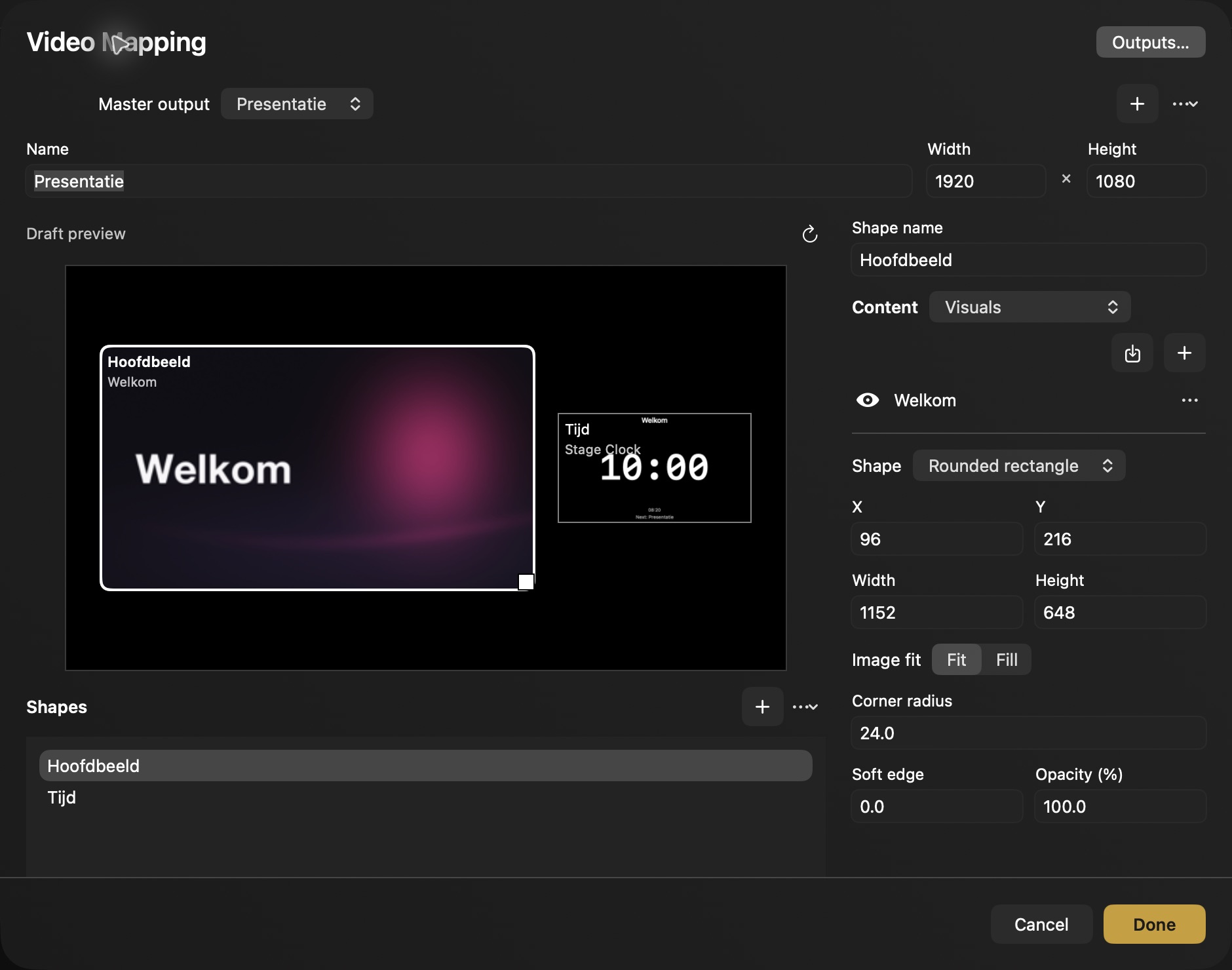
Arrange shapes, cropped images, and multiple visuals on your output screens.
Show text, lyrics, and Bible passages on slides or over your visuals.
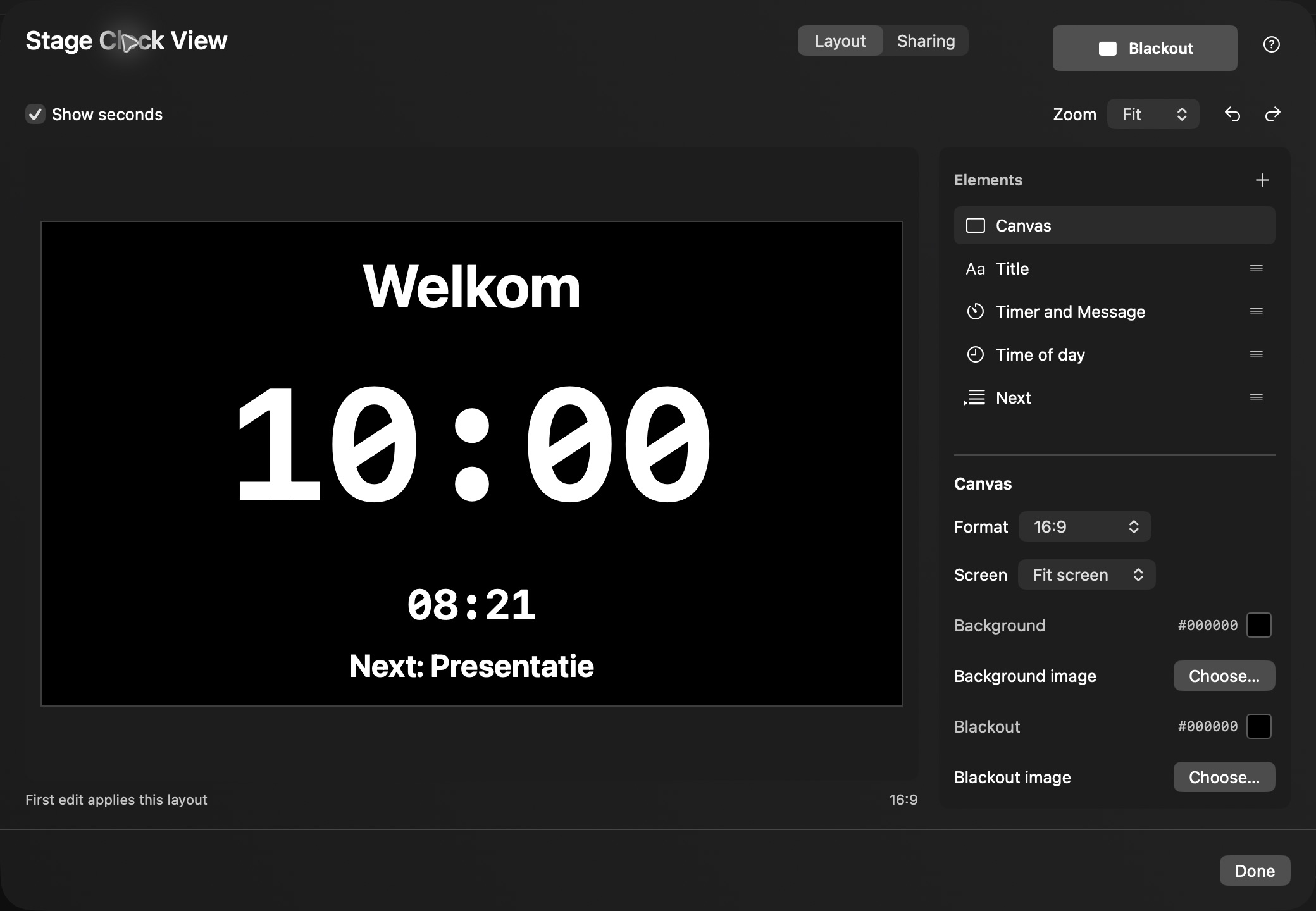
Display a countdown, the next item, and messages on your confidence monitors.
View selected outputs in a single preview pane or a four-pane grid.
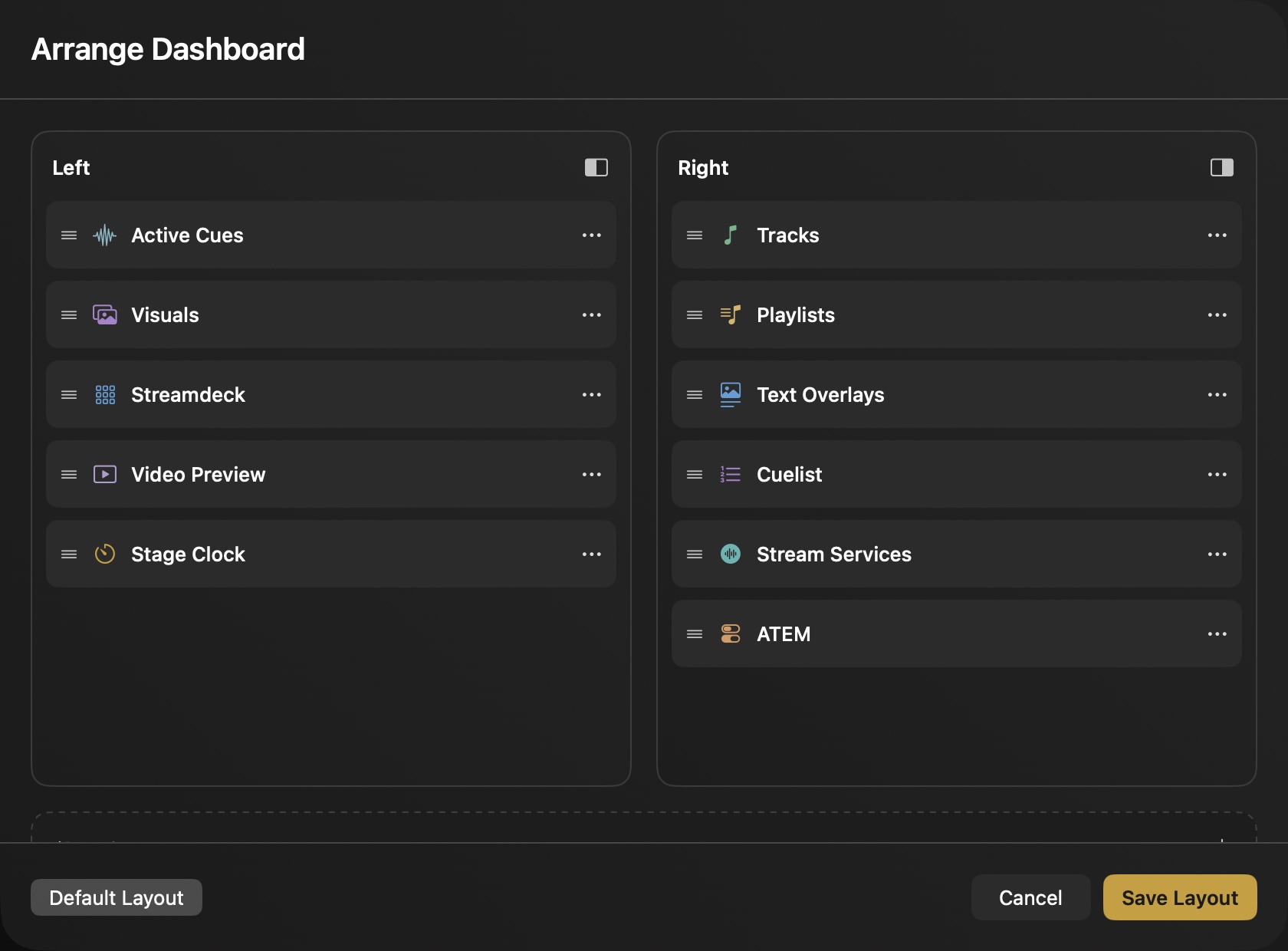
Move dashboard cards between two columns and hide what you do not need.
Put your cues in order and choose which to trigger yourself and which should follow automatically.
Trigger cues on a Stream Deck XL with our own plugin, and see their playback status on the keys.
Switch between video sources with Blackmagic ATEM, choose transitions, and trigger macros from your run of show.
Monitor selected video outputs and set black or a holding image as the fallback.
Trigger preprogrammed lighting cues at the start or end of a media clip.
Control supported motion equipment with preset movements and stop commands.
Generate or import LTC timecode and play it through a selected audio output.
Listen to a clip before triggering it, through a separate audio monitor output.
Take your run of show and its media files with you in a portable show folder.
Let a cue choose a random file from a collection you create.
Control the local Apple Music and Spotify apps and follow their playback status in Cuepact.
Map notes, buttons, and program changes from your MIDI controller to cues or actions.
Launch Session scenes and Arrangement songs in Ableton Live, including on another computer.
Use one musical tempo for cue actions linked to beats or bars.
Link cue actions on the timeline to time markers from a selected source.
And we keep building. More features are on the way, with regular updates shaped by users’ experiences and ideas. Read about the pact →
Your dashboard
Move cards to the left or right column. Keep your active cues and preview within reach. Move cards you do not need to Hidden.
Our own Stream Deck plugin
Trigger your cues with the keys on a Stream Deck XL. The keys show which cues are playing.
Let your Stream Deck follow the page you select in Cuepact, or assign a fixed page.
The pact
Tell us what works, what is missing, and what could be better. Your experience helps shape what we add and improve.
One affordable membership will give you access to the Mac app and regular updates. Your membership will support continued development.
Share your idea The Mac app is in development. Pricing and release date will be announced later. Interested? Email us ↗Also from Cuepact
Cuepact develops the Mac app and these free apps. Clock and Teleprompter work independently, without a membership.

A full-screen clock for your iPhone, iPad or Apple TV, with or without seconds.
Free on the App Store
Read your text on iPhone or iPad. You choose how fast it scrolls.
Free on the App StoreNo. You can also control your cues in Cuepact on your Mac. A Stream Deck XL with our own plugin gives you another way to trigger the same cues.
No. Start with a short sequence and trigger each item yourself. Add connections and automatic cue progression when you need them.
Cuepact brings several tasks together in one Mac app. Which separate apps it can replace depends on your program, workflow, and equipment.
The Mac app is in development. Pricing and release date will be announced later. Read how the membership and the pact work.