
Cuepact Clock
A full-screen clock for your iPhone, iPad or Apple TV, with or without seconds.
Free on the App Store Cuepact
Cuepact for Mac · In development
Prepare each part of your service. Connect what needs to happen together and keep an overview, even when the service takes a different turn.
For the regular operator and the volunteer just starting out.
The Mac app is still in development.
From arrival
to closing.
Music and a welcome image
The lyrics at the right point in the service
A video, ready to play
Announcements and music
From preparation to live control
Good preparation gives the operator room to follow the service. Set the order and connections in advance.
Prepare music, images, videos, and your own text in the order of your service. Give each item a recognizable name.
One cue can combine several actions. For example, start a video and the speaker’s countdown at the same time.
Check audio, visuals, text, and transitions. Agree on who will operate the app and which items will follow manually or automatically.
During the service
The opening runs longer. There is an extra announcement. Trigger the next cue when it fits the service.
Choose in advance which items should follow automatically.
Your dashboard
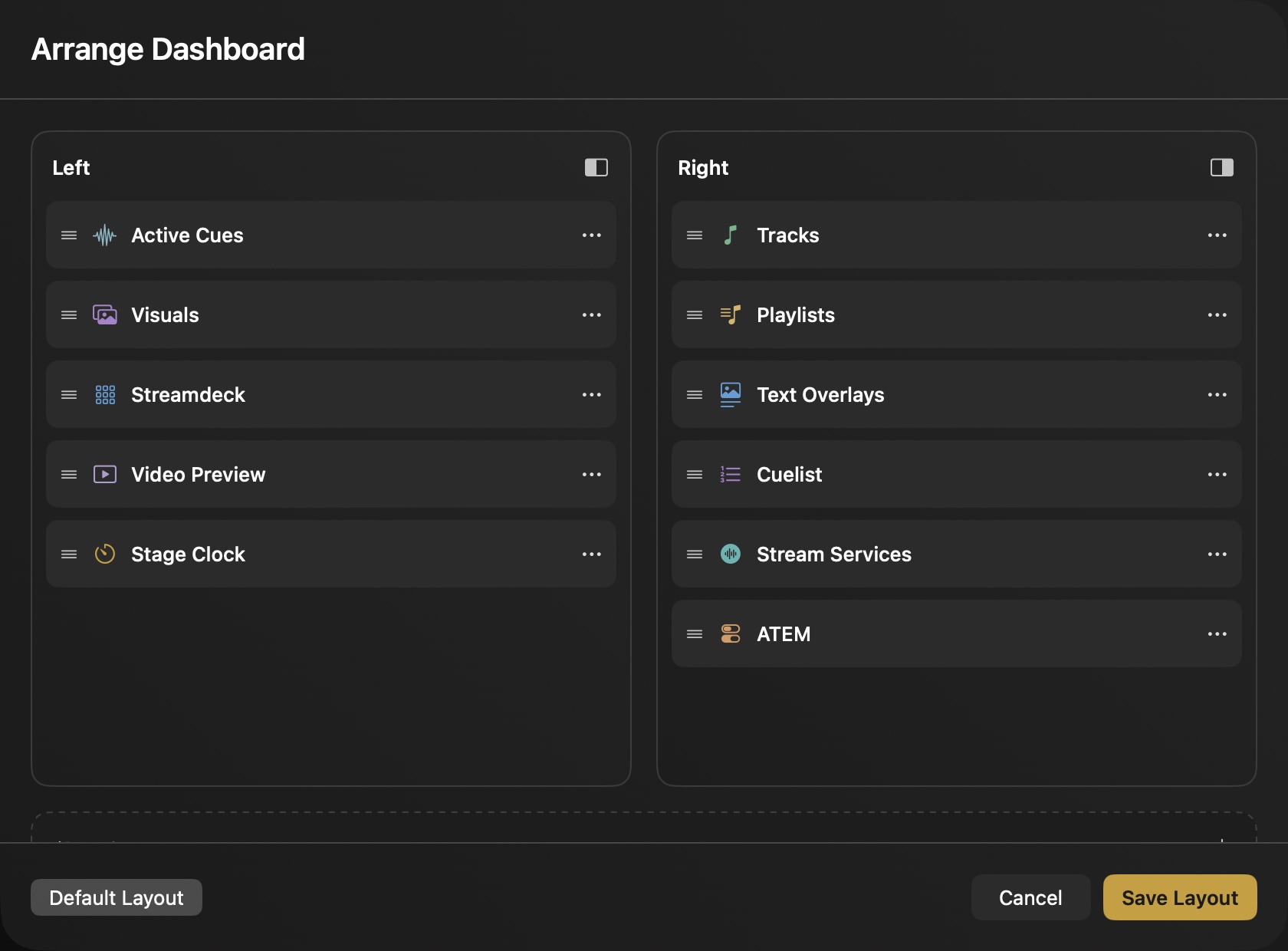
Arrange the two columns for the person operating the app. Keep active cues, preview, and clock within reach. Hide cards you do not need.
The pact
Tell us how you work. What helps a volunteer using the controls for the first time? What is missing for your regular operator? Your experience helps shape what we add and improve.
One affordable membership will give you access to the Mac app and regular updates. Your membership will support continued development.
Share your idea The Mac app is in development. Pricing and release date will be announced later. Interested? Email us ↗Also from Cuepact
Cuepact develops the Mac app and these free apps. Clock and Teleprompter work independently, without a membership.
A full-screen clock for your iPhone, iPad or Apple TV, with or without seconds.
Free on the App Store
Read your text on iPhone or iPad. You choose how fast it scrolls.
Free on the App StoreStart with a short sequence and trigger items yourself. Arrange your own dashboard and hide cards you do not need. Experienced operators can go further with connections, fades, timing, and automatic cue progression.
No. Follow your own order of service and arrange your cues in that sequence. Trigger them manually if the service takes a different turn.
Prepare welcome messages, announcements, lyrics, or Bible passages in collections and divide them into slides. Place the text at the right point in your run of show. View all Cuepact features.
The Mac app will offer one affordable membership, with regular updates shaped by user feedback. Pricing and release date have not yet been announced. Read more about the pact.