 Cuepact
 Free appsCuepact Clock
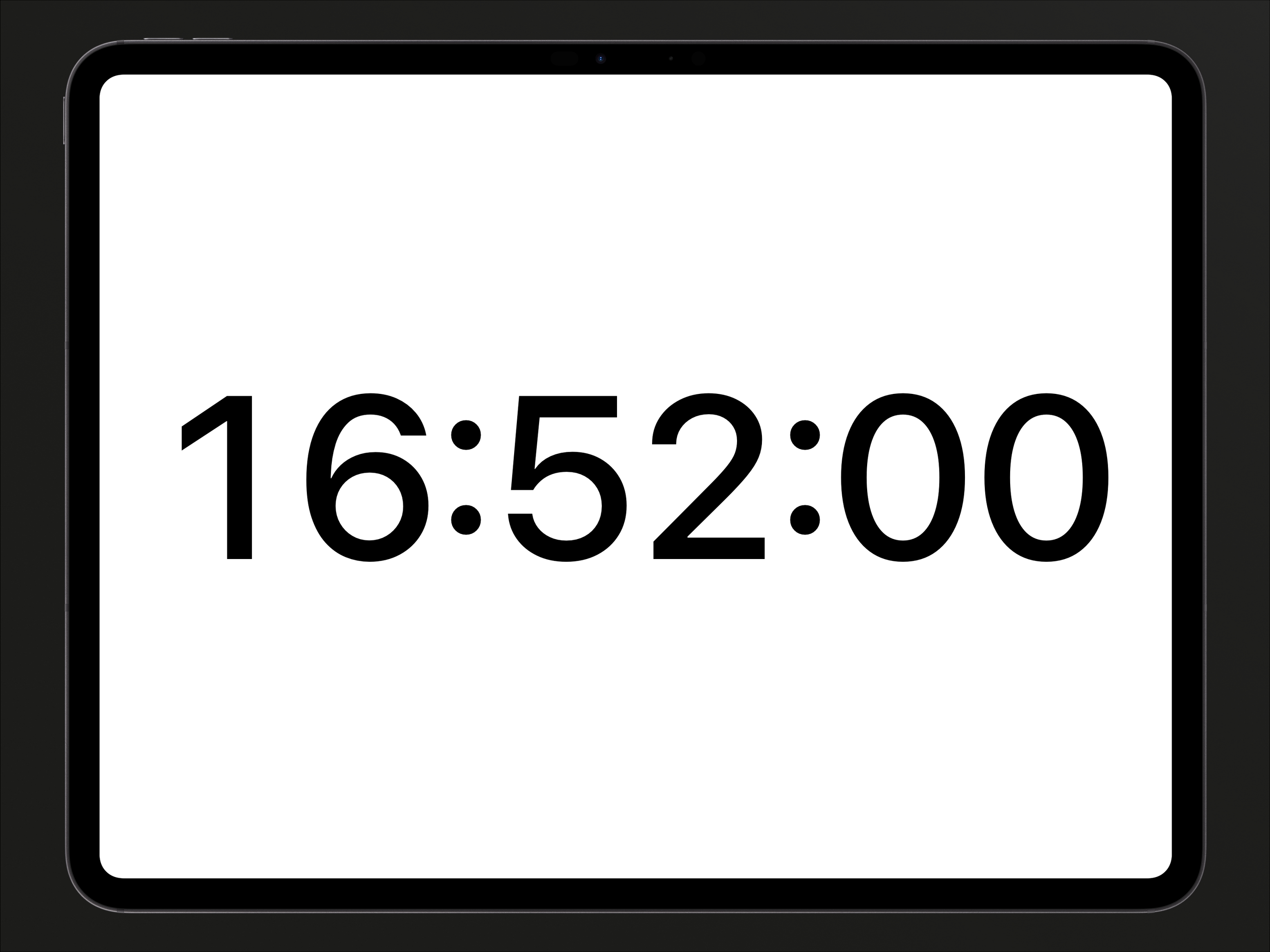
Cuepact Clock displays the time in large digits on your iPhone, iPad or Apple TV. For presentations, classes, and meetings where you want a clear view of the clock.
Four views.
White on black or black on white. With or without seconds. Tap the clock to switch.
Your screen stays on.
The time stays visible while the app is active. No need to keep touching the screen.
Using the clock
Clock follows your device’s time and time zone and remembers your chosen view.
Cuepact Clock
On iPhone and iPad
Place your iPad where you want to see the time. Open the app, choose a view, and leave the clock on screen.
User guideFrequently asked questions.
Is Cuepact Clock really free?
Yes. All features are free, with no subscription or in-app purchases. You don’t need an account or Cuepact membership.
Does the app work without a browser?
Yes. This is a native app for iPhone, iPad and Apple TV. Install it from the App Store and use it without a browser.
Which languages is the app available in?
The app itself is available in 44 languages. It follows your device’s language setting.
Dutch, Arabic, Bengali, Norwegian Bokmål, Catalan, Danish, German, English, Finnish, French, Greek, Gujarati, Hebrew, Hindi, Hungarian, Indonesian, Italian, Japanese, Kannada, Korean, Croatian, Malayalam, Malay, Marathi, Ukrainian, Odia, Polish, Portuguese, Punjabi, Romanian, Russian, Slovenian, Slovak, Spanish, Tamil, Telugu, Thai, Traditional Chinese, Czech, Turkish, Urdu, Simplified Chinese, Vietnamese, and Swedish.
Can I hide the seconds?
Yes. Tap the clock to cycle through four views: light or dark, with or without seconds. Your choice is remembered.
Is Clock available for Apple TV?
Yes. Clock is also available for free on Apple TV. See how to use the app.
Can I use Clock as a countdown?
No. Cuepact Clock shows your device’s time. For countdowns and program timing, use the clock feature in Cuepact for Mac.
Help and information
User guide and privacy.
The full user guide, privacy policy, and terms for Cuepact Clock.
Guide: Use your iPad as a large clock
User guideControls and settings
Help
A full-screen clock with large digits.
iPhone · iPad
Available for free on the App Store.
Apple TV · Available for free on the App Store.
Using the clock
Tap the clock to cycle through four views:
- White on black, seconds on
- White on black, seconds off
- Black on white, seconds on
- Black on white, seconds off
Your chosen view is remembered. The screen stays on while the app is active.
If the time is incorrect
The clock follows your device’s time and time zone. Check those settings on your device if the displayed time is incorrect.
On iPhone Duo · iOS 27.1+
With an active horizontal fold, the clock uses the upper part of the screen and leaves the lower part black. Tapping the lower part does not change the clock view. When fully open, closed, or folded vertically, the clock uses the available window. The layout adapts automatically, with no extra settings.
Apple Vision Pro
On Apple Vision Pro, Clock runs as an iPad app in a window.
Menu · 1.0.1
Cuepact Clock 1.0
The Cuepact for Mac card
The startup card recommends Cuepact for Mac. It disappears after five seconds; the close button dismisses it immediately. Tapping the clock changes its view without closing the card. The text and information button open the Coming soon screen. A store link will be added when the desktop app is available.
Apple TV
Available for free on the App Store.
Open the app and the clock appears immediately. Press Select on the Siri Remote while the clock has focus, or use Play/Pause, to cycle through four views:
- White on black, with seconds
- White on black, without seconds
- Black on white, with seconds
- Black on white, without seconds
Your chosen view is saved locally on Apple TV. The screen stays on while the app is active. The clock works offline, with no settings or account, and follows the device’s time and time zone.
When you open the app, a Cuepact recommendation appears for five seconds. Select the countdown to close the card immediately. The i button and website link open an information screen with QR codes and readable addresses for the Cuepact website and privacy policy. Scan the codes or open the addresses on another device.
Press and hold Select while the clock has focus to open the main menu directly. Choose Help, Privacy, or Terms. Close the information with Done or the remote’s back button.
Questions or feedback
Email info@cuepact.com.
PrivacyHow we handle data
Privacy
Cuepact Clock collects no data through the app. There are no accounts, analytics, tracking, or automatic network requests.
Data controller
Arthur Petri is the controller responsible for processing personal data relating to Cuepact Clock and this website. For privacy questions, contact info@cuepact.com.
Preferences on your device
Only your chosen clock view and whether the introductory tip has been shown are saved locally on your device. Cuepact Clock does not send these preferences to Cuepact or any other party.
To remove these local preferences, delete the app and its associated data through your device’s Settings. Offload App keeps documents and data.
The Cuepact recommendation
Everyone sees the same recommendation for Cuepact for Mac. The app uses no personal data for it and does not track activity.
When you contact us
A feedback button may open your own email app. You decide whether to send a message and what information to include.
When you email info@cuepact.com, Arthur Petri receives your email address and the contents of your message. Your message is sent through your own email service, outside Cuepact Clock.
This data is used to answer your question and handle your feedback. The legal basis is our legitimate interest in responding to people who contact us. Privacy requests are handled to meet applicable legal obligations.
The info@cuepact.com mailbox is hosted by TransIP.
Support emails are kept for no more than 12 months after the question or request has been resolved.
When you visit this website
This website is hosted by TransIP.
When you visit the website, technical data, including your IP address, is processed to operate and secure the hosting. Raw server logs are set to be retained for 3 days.
Website statistics are enabled to help us understand traffic to the website.
This processing relates to the website and hosting. It is separate from the clock app, which does not collect personal data.
Your privacy rights
You may contact Arthur Petri at info@cuepact.com to request access to, correction or deletion of your personal data, restriction of processing, or data portability. You may also object to processing. The rights that apply depend on the processing and applicable law.
You may lodge a complaint about the processing of your personal data with the Dutch Data Protection Authority.
Lodge a complaint with the Dutch Data Protection Authority
Privacy questions
You can reach us at info@cuepact.com.
TermsApple’s license
Terms
The app uses Apple’s standard end user license agreement. The link below opens Apple’s official agreement. This page is not a separate Cuepact license and does not replace Apple’s terms.
Open Apple’s standard end user license agreement
For questions about Cuepact Clock, contact info@cuepact.com.